 Archive A Reconstructed © MegaSecurity Database
Darkbot
Copyright © MegaSecurity
By jason
Informations
| Author | jason |
| Family | Darkbot |
| Category | Remote Access |
| Version | Darkbot |
Author Information / Description
--------------------------------------------------
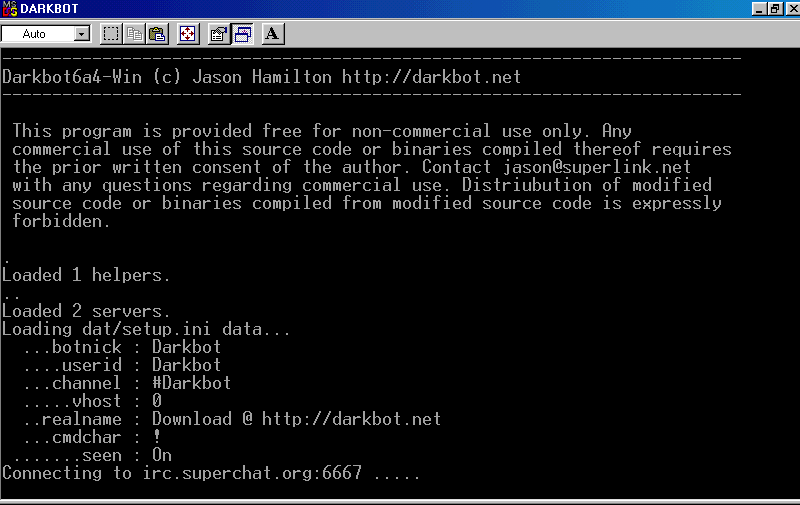
  Darkbot v4 (c) Jason Hamilton
  This file created 03.31.98, last updated: 05.20.98
  --------------------------------------------------


Below is the listing of all the darkbot datafiles, and what they do.

If you are too lazy to bother reading, just type "configure" in your
shell prompt, the configure script will walk you thru the darkbot
setup auto.


configure     - Running this script, will lead you step by step thru
		the Darkbot configuration, and explains settings. You
		*MUST* run this script to get Darkbot running.

Adduser       - This will add a user to your userlist.db file. It is
		called from the configure script, but you can use it
		on it's own to add users.

AddServer     - Simple sh script that adds another server to your
		servers.ini file. This is called from configure.

Makefile      - Makefile. Type "make" to compile Darkbot. Type
                "make debug" to compile in debug mode.

darkbot.c     - Check the first few lines in darkbot.c, you should
		either #define or #undef the options.

dat/info2.db   - Help database. Format is: <50char-topic> <400char-max-data>

dat/setup.ini - Edit this to setup your bot's nick/chan/userid/realname,
		this file is created by the configure script.

dat/perform.ini - List of commands to do when darkbot connects online.
                This is in "raw" format, check file for example.

dat/deop.ini  - List of things to do when darkbot is deoped.
                Also in "raw" format, check file for example.

dat/random.ini - List of random replys to help questions asked.
                A text file with a list of random things to say
                when asked a question. First line must be the # of
                random lines contained in the file. See file for example.
                This file is only refrenced when there is no Vars
                in an answer (ie ^ nick).

dat/banned-servers.ini - A list of servers that if a user joins your chan
		while using any of the servers listed, to kick ban. This
		is useful for user's who spoof on specific servers...

kill.darkbot  - Simple sh script that kills the current darkbot process
                Need I explain? :)

dat/userlist.db - Put in the *u@h of the user's you want to give access
                to in your bot.. ONLY put in the user@host in this file,
		Darkbot will put in the additional data by itself. Type
		!SETINFO
when online, to set your auto-greet.
		The !SETINFO Variables are:
		^ = nick
		% = number of joins
		& = current chan
		$ = your current u@h

		(NOTE: If you are using the older darkbotII userlist,
		you either need to either delete everything except the
		u@h, or hand add the level you want for each user, after
		the u@h entry.)

.runonce      - This is a small script that sends me an email when you
		compile darkbot for the first time. If you do not
		want it to email me, just delete the file called
		"email.flag", reason it is here, is so I know if
		Darkbot is being used or not -- because if it isn't, I'll
		not bother writing up text files like this for other
		people to read, when there are no other people!

		Don't worry, the email sent gives out no system or
		backdoor information. Edit .runonce if you don't belive
		me! ;)
jason
This archive is an almost-complete reconstruction of the legendary Mega Security (also known as Kobayashi), a premier 90s-era "Trojan Database" where malware authors once showcased their work. After a decade offline, the site was brought back in August 2024 by its original creator, MasterRat, who authorized me to host this modernized, searchable version of the collection. While the original site remains available for those seeking a nostalgic, old-school experience, we are proud to continue its legacy here. Full credit and thanks go to MasterRat and the retired Mega Security staff for their years of dedicated work in cataloging these historical samples.